50% off with VIP membership
Choose the auto-renewable version and get the discount not only for this month, but for as long as you stay subscribed
OrthoGraph I, our multi-platform floor plan app has been launched in September 2016 and by now it has reached 30.000+ downloads.
Reaching this fantastic goal in such a short time proves to us that there are many professionals who can benefit from our building survey app. To help the conversion from pen and paper to the digital world we decided to give a gift to those who are interested in working with OrthoGraph I.
An OrthoGraph I gift to you!
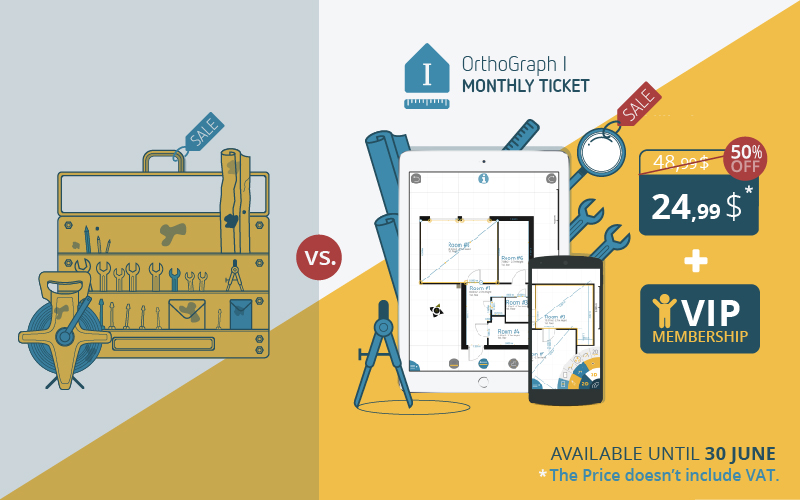
All who sign up now for a new monthly OrthoGraph I subscription before 30 June will get 50% off from the monthly fee.
Furthermore, if you sign up on our webpage, and you choose the auto renewable option, you will get 50% off from the monthly fee as long as you stay subscribed. This means if you get onboard with OrthoGraph I now, you can benefit from the discounted monthly fee even after the promotion is over.
What do you get with an OrthoGraph I subscription?
Beside the half price discount, you will:
-Get on-site reports
- Access the 3D walkthrough function
- Export your work in industry standard file formats without limits – PDF, Excel, IFC, DXF
- Get OrthoGraph I’s bi-weekly updates with more and more functionality
There is more! Be a VIP member of OrthoGraph I's community!
If you subscribe, you get additional benefits in addition to your full-functionality OrthoGraph I: You will be a VIP member of OrthoGraph I’s community.
We are committed to provide professional support for our users, so we built an ever-growing Knowledge Base. You can reach it by clicking here or directly in the app - tap on the big question mark button in the app and get all the info you need about OrthoGraph I. Browse our guides and tutorials, get info about OrthoGraph I features, supported formats and devices, and if you miss something just ask us and expect a rapid answer.
If you have an OrthoGraph I subscription, then you can use the Knowledge base as a VIP member. What does this mean?
- Get VIP product support with really fast responses
- Share your feature requests and we handle them with priority
- Get all feature updates and information immediately
- Get immediate info about our webinars and Q+A live series including giveaways
- Get access to our case studies and reviews
Do you have any question about OrthoGraph I? Ask us live on our Q+A event! Sign up today for the event and get a chance to win an OrthoGraph I subscription with a Leica DISTO D2.
More info: www.orthograph.net/qa/
Download OrthoGraph I today!