Showing posts with label OrthoGraph Architect. Show all posts

January 8, 2014

The benefits of our new multi-platform development for our current users

Some months ago, we have started a great development, from which all our current users and future users will win a lot. Let us share the story behind this, and give you some more insights to our plans.

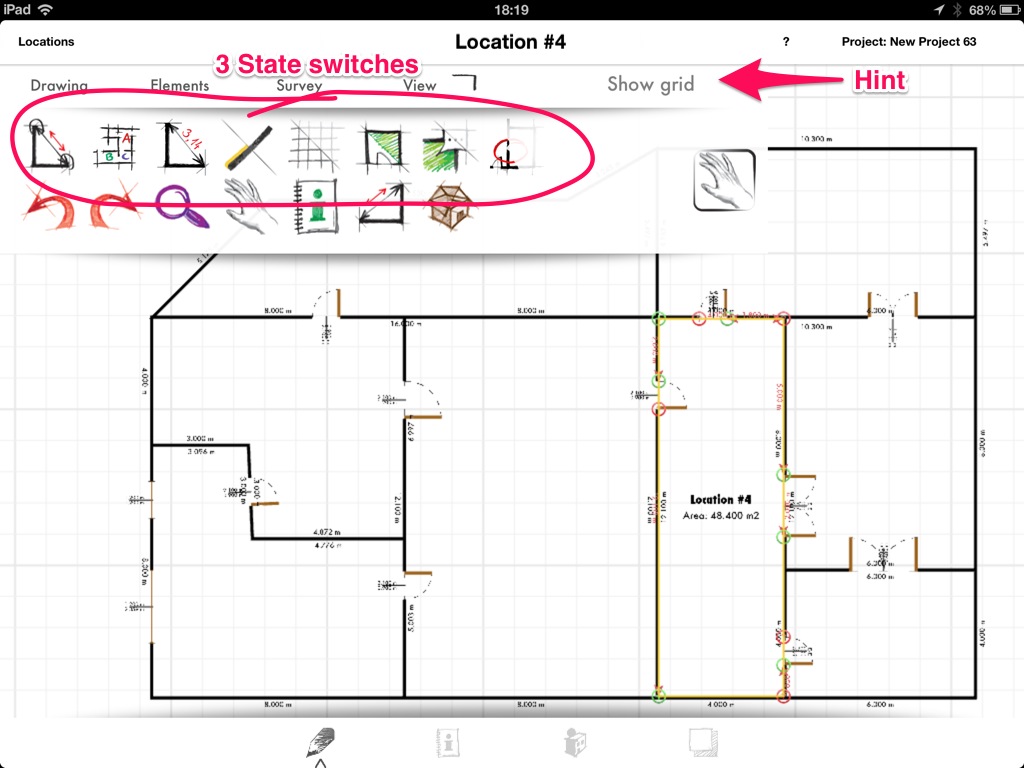
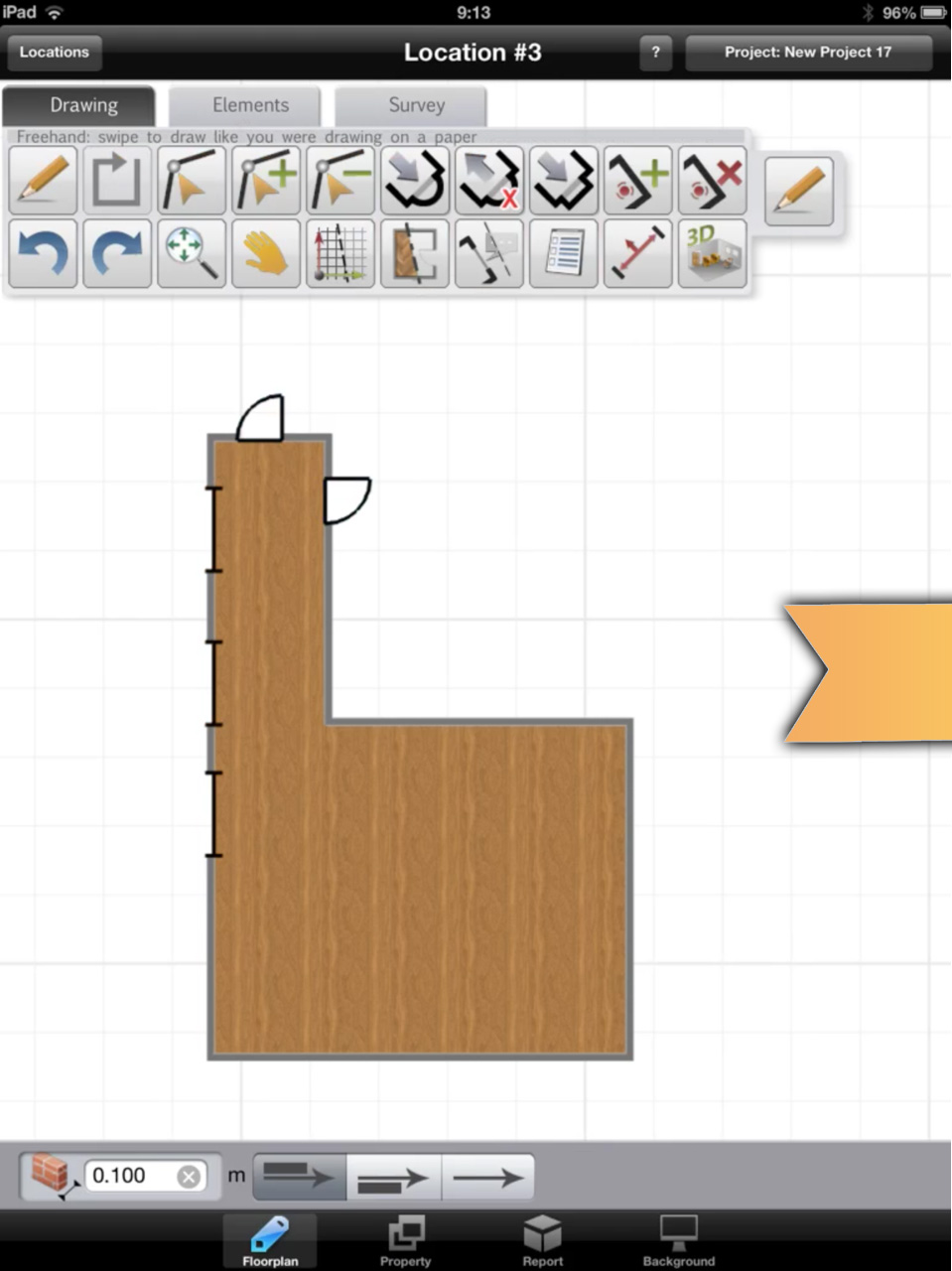
Screenshot from the new OrthoGraph App
During the previous year, we have got a plenty of requests from our customers that we should create the OrthoGraph Architect App for Android operating system as well. We even created a poll about it, and had many-many answers on Facebook and in e-mail that there is a lot of interest to support more platforms than just the iPad. We felt, that this is the right time for a big change. A big opportunity not only for our current users, but also for those who would like to get access to OrthoGraph Architect's many features on different environments.

We decided not only to create the Android version but redevelop the existing OrthoGraph software for iPad from scratch as well. Creating one code for all platforms with keeping in mind all our experiences from the last years and the requests we get from our current users we will are able to create something new, that gives even more than we could achieve using today's technology. This way, our existing iPad users will benefit a lot from this new project as well as the new users can also get an answer to their request.

What we see and experience after some months of development are that we develop a brand new technically more advanced App for iPad and Android devices with all the well-known and trusted functionalities of the existing App but in a faster, more user-friendly version and with opportunities that have never been available before.

So what are these new developments/features exactly?

•    a much faster drawing environment
•    more realistic 3D view
•    a reworked and more efficient business logic
•    better quality exports
•    more customization such as open object library, customizable templates
•    new features which were impossible or at least really hard to create with today's version of the App.

Not all of these new features will be ready for the first release of the new App, but we are working hard on the improvements.

With the brand new version of OrthoGraph Architect we believe that we can help you make your work process even faster and more precise.

Last but not least, we would like to provide you a great improvement in the customer experience and give you a better presentation tool with the improved 3D view.

If you have any questions about the new development, please do not hesitate to ask us here or on our Facebook page. We are always open for new suggestions as well.

September 25, 2013

OrthoGraph Android - we should do it together


OrthoGraph in hand with floor plan
OrthoGraph Architect is available on the iPad for more than 2 years, and we get requests continuously from the beginning to make it available on Android too. We have even made a poll on our Facebook page, and the result was the same, so we have decided to fulfill this demand.

We spent a lot of time on investigating the best way of developing OrthoGraph Architect Android version. In the past half year we have made researches, some small trial projects and we clarified out what we should do to create the Android version of OrthoGraph Architect. It is also clear for us that if we set near deadlines - that’s what our customers would expect from us - then we will need external help from Android professionals.

As a result of our consultations made with Android and other development professionals it became clear that there are two ways that we have to choose from:

    Architect measuring with OrthoGraph and Leica
  • Either we start and do the development of OrthoGraph Architect Android version in parallel with the current iOS development, and handle it separately also in the future
  • or we redevelop the whole product from scratch in an environment that can be run then on Android and on iOS platform too.

Meanwhile, in addition to the above investigation we got many requests from you that you would be happy to use OrthoGraph on further platforms like Windows 8 (e.g. running OrthoGraph on Windows Surface or any tablet/notebook) and Mac OS too.

After lots of internal and external discussions we decided to go for the second choice. We will start developing OrthoGraph from scratch - meanwhile proceeding with the development of the current product -, and when it is ready, then we will replace the current product with the new one. This new version will be released on the following platforms: iOS (iPad), Android tablets and if we get enough support from you, then on Windows 8 (with touchscreen support) and Mac OS.

OrthoGraph in hand with furniture
The new version will not be a simple replacement of the current OrthoGraph Architect product, but it will hold many new features additionally to the current functionality. Such will be a stronger, more professional 3D rendering engine (including lights, static shadows), 3D editing (maybe not in the first release), multi-texture materials on objects and walls (e.g. you can color the wall meanwhile you choose tiles on that), and we plan to build in a customizable object library too. Latter will not only be filled up with objects made by us, but we will look also for partners to help in that, and we would like to open it to our users, so that you can create your own 3D objects with the most popular 3D graphics software that can save to our chosen standard format. This format will be selected to be supported widely by popular 3D graphics software.

Next steps


To develop OrthoGraph direct from scratch is a costly and huge work. Even if keeping in mind that most of the logics built into the current software today can be simply ported to the new platform. We will need to start with planning the common development platform, that can effectively support all destination hardware and OSs and we should choose a strong rendering engine to support all our demands.

OrthoGraph on iPad screenTo support this large work, and also to have a confirmation of that there is a real demand for running OrthoGraph on these platforms, we have setup a new crowd funding project on Indiegogo (http://igg.me/at/OrthoGraph-On-Android), and will ask those of you, who would like this project to succeed to support us in our development. Certainly we will give you also some benefits like discounts on the license price and some other gifts, that we have already listed there and will figure out more also during the campaign for your great contribution, but your support is essential.

Please stay tuned for more news about this great advancement of OrthoGraph in the near future.

September 20, 2013

Experimental feature has been released

new save/restore functions in OrthoGraph
The new release or OrthoGraph Architect contains an experimental feature that lets users backup and restore projects to OrthoGraph Cloud Services. This new service is now available only on experimental level, which means actually our users can register and create their account, login using it, backup and restore up to 3 of their projects. Anything you backed up can not be deleted now, certainly it will be available soon.

OrthoGraph Cloud Services later will have several additional features like project sharing through a dedicated link, teamwork support, different storage packages and many more, but let us go into details only when it is getting to be released. We think that OrthoGraph Cloud features will be available in some weeks (also depending a lot on Apple’s review and approval process), so keep us following.

In the meantime try out the backup/restore feature that is there now, we appreciate all feedbacks about that.

How does it work?
1.     tap the Projects button in the top-right corner of the screen
2.     tap the export button, and a sign-up form comes up (unless you are already signed up an logged in)
3.     fill out the form, a confirmation e-mail will be sent to you
4.     open up your e-mail client, and
5.     confirm your account tapping the link inside the confirmation e-mail.
6.     go back into OrthoGraph

When you already signed up/logged in, then you can start your Backup
1.     tap the Projects/backup button again
2.     enter a name for the project
3.     tap the export button

Restore
1.     tap the Projects button in the top-right corner of the screen
2.     tap the Restore button
3.     choose restore from my projects (the other option will let you restore projects saved from other iPads)
4.     select the project you would like to restore
5.     choose whether you would like to restore the project overwriting its current version on your iPad or you can restore it under a new name (this way you have created a new copy of that).

So simple it is.


We look forward to your responses about this new feature.
info@orthograph.net

September 12, 2013

OrthoGraph update has been released with requested features

It has been 4 weeks that we didn't release a new version of OrthoGraph, so it's high-time to release V7.2. This time we have spent most of our time on stabilization and speed improvement of the App, but how would an OrthoGraph release look like without any new features. So we have implemented some many times requested features from you, our users in this update:


  1. Room name when displayed on the floor plan scales to the size of the room. This doesn't mean that all room names have different sizes but we have preset font sizes that are chose related to the size of the room.
  2. Now you can decide whether to show the followings to the current room, to the whole floor plan or hide them. Simply hit the required toolbutton again and again:
    • Measurement state
    • Room Name and Area
    • Wall lengths
    • Reference lines
    • Room flooring in 2D
    • Labels (as they are related to rooms)
    • Redlining (as they also connect to rooms)
  3. A disappearing hint that always writes out what you have just chosen.
This is how it looks like:


As mentioned we have done several bug fixes on new room recognition, drawing update based on measures, background image scaling, handling of curved walls with doors and windows and many more.

Enjoy the new version from the free update, download it now from the AppStore: http://bit.ly/OrthoA

January 25, 2013

OrthoGraph AC16 add-on is available


Today we have published the newest version of the OrthoGraph ArchiCAD Import Module, which supports the ArchiCAD 16 both on Mac and PC. The new version of the converter also corrects the automatic registration problems under several Windows configurations.

You can download the trial version of the converter, or you can buy it from our website. (If you already own an ArchiCAD add-on license, download the trial, and enter your existing activation code.)

Please read more about the CAD connectivity tools available for OrthoGraph Architect on our website.

December 19, 2012

Sketch&Tap – build your floorplan with natural ease on your iPad - OrthoGraph Architect 4.0 released

Budapest, December 18, 2012 - OrthoGraph proudly announces the newest release of the professional iPad floor plan creation App, OrthoGraph Architect 3D version 4.0

OrthoGraph's intuitive sketching and measuring functionality has been enhanced with a new simplified drawing workflow. The natural way of sketching a floor plan is extended with the Sketch&Tap feature which accelerates the creation of multi-room drawings with the new level of sketch recognition.


OrthoGraph's sketch recognition functionality has already been a unique and industry leading way of creating the floor plans. First by simply sketching the outline of  a room onto the screen of the iPad OrthoGraph created straight lines with corners instantly. Then the particular room could be updated by measuring wall lengths and diagonals, OrthoGraph Architect kept all angles unmodified as long as it was possible by the entered data.To create a new room the user had to repeat these steps, and at the end the surveyed room could be attached to the first one through a wall opening.


By keeping the unique update methodology intact the drawing procedure of the second and further rooms has been simplified radically. Now it's enough just to draw those new walls that are not common with the existing rooms, then by tapping inside the new room OrthoGraph snaps the sketched walls to their proper location. This way it might be enough only to measure these new walls and repeat the procedure to rapidly create There are many other features of version 4.0 along with bug repairs, but this feature was requested by most of our users since the first version of OrthoGraph Architect was released only a year ago.

Download and use the new, exciting way of floor plan creation using your iPad, use the 3D walkthrough, place objects and store their properties including images in the new App. Simply download it from the AppStore: http://bit.ly/OrthoA

September 7, 2012

OrthoGraph Architect supports Leica Disto hardware

It's been a long time we wanted to develop the integration of OrthoGraph Architect iPad and the Leica distance meters. The problem has always been that the iPad hardware and the Leica Bluetooth was not compatible with each other (some licensing problem was the reason). Now it did not change anything! :) But there is a small box named SerialIO Blue Snap SPP-KEY Bridge that can connect to the Leica Disto device and to the iPad at the same time allowing them to communicate to each-other.

As we purchased this small blue box, and got support from Leica for the development we have developed the communication between these two devices, so that OrthoGraph can accept distance values from Leica devices. This new feature will be available in the free update for our users in the beginning of October 2012.

What you will need for using these devices together are:

- Leica Disto (Bluetooth compatible hardware)
- SerialIO Blue Snap SPP-KEY Bridge
- OrthoGraph Architect installed on your iPad.


Let us mention that the SerialIO team is not much supportive, therefore to setup the hardware level communication between the Leica and iPad devices you need to go through a really difficult procedure, and SerialIO does not have actually the willingness to make it simpler (this is the beginning of the procedure, and this is the second part, the iPad). We will try to prepare a video for you about the setup procedure, but we have to mention that you will be needed to be an advanced user and also need a screwdriver for doing that. Stay tuned for OrthoGraph news and videos.

February 14, 2012

Videos about OrthoGraph Architect 2.1 features

We have released two videos about the most important new features of OrthoGraph Architect 2.1:

The following video shows how simple it is to assign two wall sides of the same wall measured from two rooms. It is only a swipe with your finger and the overlapping walls become correct:


Pointclouds or blueprints on-site in OrthoGraph Architect? Yes, it is true. See the video how simple it is to use a flattened point cloud image for the background to the floor plan drawing. In the video the total image size is 6000x8000px that results in 2,5mm / 0,1" accuracy. You can see that even by this size there is no compromission in speed or usability.


February 10, 2012

OrthoGraph Architect 2.1 has been released!

OrthoGraph Architect 2.1 has been released with many new features, some enhancements and bug repairs.

From now on the following new features are available:

  1. New tool for accelerated floor plan creation
  2. Cloud images or scanned blueprints now supported as background
  3. German, Hungarian, and Italian languages available
  4. Take photos of objects, walls, doors, etc. and attach them to corresponding items within OrthoGraph
  5. Measurements now in 3 digit precision


Check out the new version in the AppStore at http://itunes.apple.com/hu/app/orthograph-architect/id464252559?mt=8

Have a look at the new background image support:


December 15, 2011

New tutorial videos based on user request

We have created some useful tutorial videos that were requested by our users:

1st: to understand what is the basis of surveys, the physical structure of the buildings:
http://www.youtube.com/watch?v=CnqHFRm5rtM

2nd: all elements in OrthoGraph can store properties, most of them also support snapshots made with the iPad camera:
http://www.youtube.com/watch?v=MGM9TWUIg9w

3rd: OrthoGraph 2.0 supports projects, now you can see how to manage them:
http://www.youtube.com/watch?v=ToMd5buasAU